
Your free easywebie.com address — publish without buying a domain
How your free subdomain works, what it looks like, who it is for, and when upgrading to a custom domain makes sense.
In this guide
What the free subdomain is
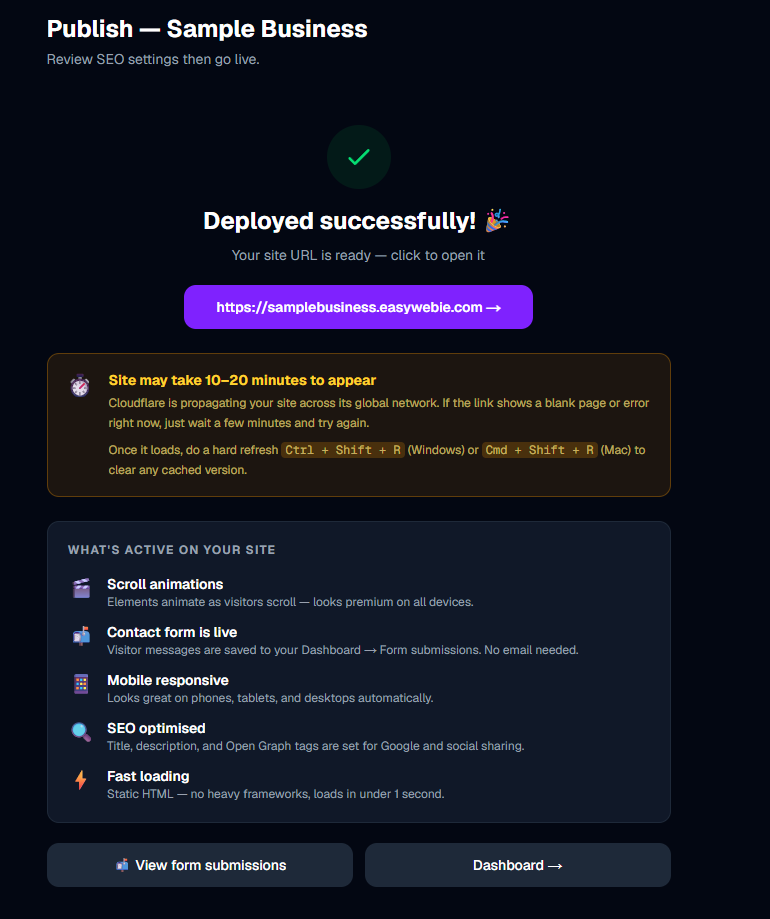
Every EasyWebie website gets a permanent free address on the easywebie.com domain the moment it is first published. Your address looks like:
yoursite.easywebie.com
The "yoursite" part is generated when you create your website — usually based on your business name. You can see the exact address on your website card in the dashboard after the first publish.
This address is live immediately, requires no setup, and works on all plans including Free — forever.
Who the free subdomain is perfect for
The subdomain is a complete, working website address. It is a great fit for:
If you are comfortable sharing "yoursite.easywebie.com" in your business materials, the free plan may be all you ever need.
What your subdomain looks like to visitors
Your free subdomain is a fully functional website — visitors see your design, can browse all your pages, fill out your contact form, and read your blog posts. The only differences from a custom domain are:
Otherwise the site looks, feels, and performs identically to any paid site.
SEO on a free subdomain
Your subdomain can be indexed by Google and will appear in search results for relevant queries. It is not penalized just for being a subdomain.
However, a custom domain (yourbusiness.com) typically builds domain authority faster and looks more trustworthy in search results and to visitors.
For a serious long-term business website, a custom domain is worth the ~$15/year investment. For a personal project or test, the subdomain is fine for SEO.
Sharing your subdomain link
Once published, you can find your full subdomain address on your website card in the dashboard — it appears below the site name. Click Visit site or the address itself to open it in a new tab and confirm it is live.
Share this link anywhere you share URLs:
The subdomain continues working even if you later add a custom domain — EasyWebie serves both addresses simultaneously.
Upgrading to a custom domain later
Switching from subdomain to custom domain requires upgrading to at least the Basic plan ($4/month or $30/year). On Basic, you get 1 custom domain.
When you connect a custom domain:
See the Custom Domain guide for exactly how to buy or connect a domain.
More in Publishing
Publishing your website
Understand what happens when you click Publish — the pre-publish steps, your free subdomain, and how to go live.
Publishing on every plan — free, Basic, Starter, and Pro
What each plan can publish, how many sites and pages you get, where your site lives, and the lowest-cost path to a custom domain.
Publish history and rollback — restore a previous version
How EasyWebie saves your last 3 published versions and how to restore any of them in one click if something goes wrong after a publish.